Belgian Official Gazette Forms
Generate Form I and Form II for publication in the Belgian Official Gazette (Moniteur belge / Belgisch Staatsblad).
Overview
In Belgium, when a nonprofit (ASBL) is created or when it modifies its bylaws, administrators, registered office, etc., it must publish these changes in the Belgian Official Gazette (Moniteur belge — the official journal of the State). To do this, you must fill out an official form and file it at the Registry of the Commercial Court (Greffe du Tribunal de l'entreprise).
Legal basis — CSA (Code of Companies and Associations; WVV in Dutch), Articles 2:7 to 2:14. Every ASBL must publish in the Belgian Official Gazette (Belgisch Staatsblad) its articles of incorporation, amendments to bylaws, appointments and resignations of administrators, changes of registered office, and dissolution. The publication cost is set by Royal Decree (approximately 240 EUR for a standard act in 2026).
- Form I (Formulaire I): used at the incorporation (creation) of the ASBL or when filing the initial bylaws.
- Form II (Formulaire II): used for all amendments after incorporation: administrator changes, amendments to bylaws, relocation of the registered office, etc.
Key Definitions
- Belgian Official Gazette (Moniteur belge): the official journal where all legal acts are published in Belgium. It is essentially the public register.
- Bylaws (Statuts): the fundamental rules of the ASBL (name, corporate purpose, registered office, operating rules). Think of it as the "constitution" of your nonprofit.
- Corporate purpose (Objet social): the mission or goal of your association, as described in the bylaws.
- Registered office (Siege social): the official address of your ASBL (often where mail is received).
- Registry (Greffe): the office of the Commercial Court where you file your documents.
Create a Form
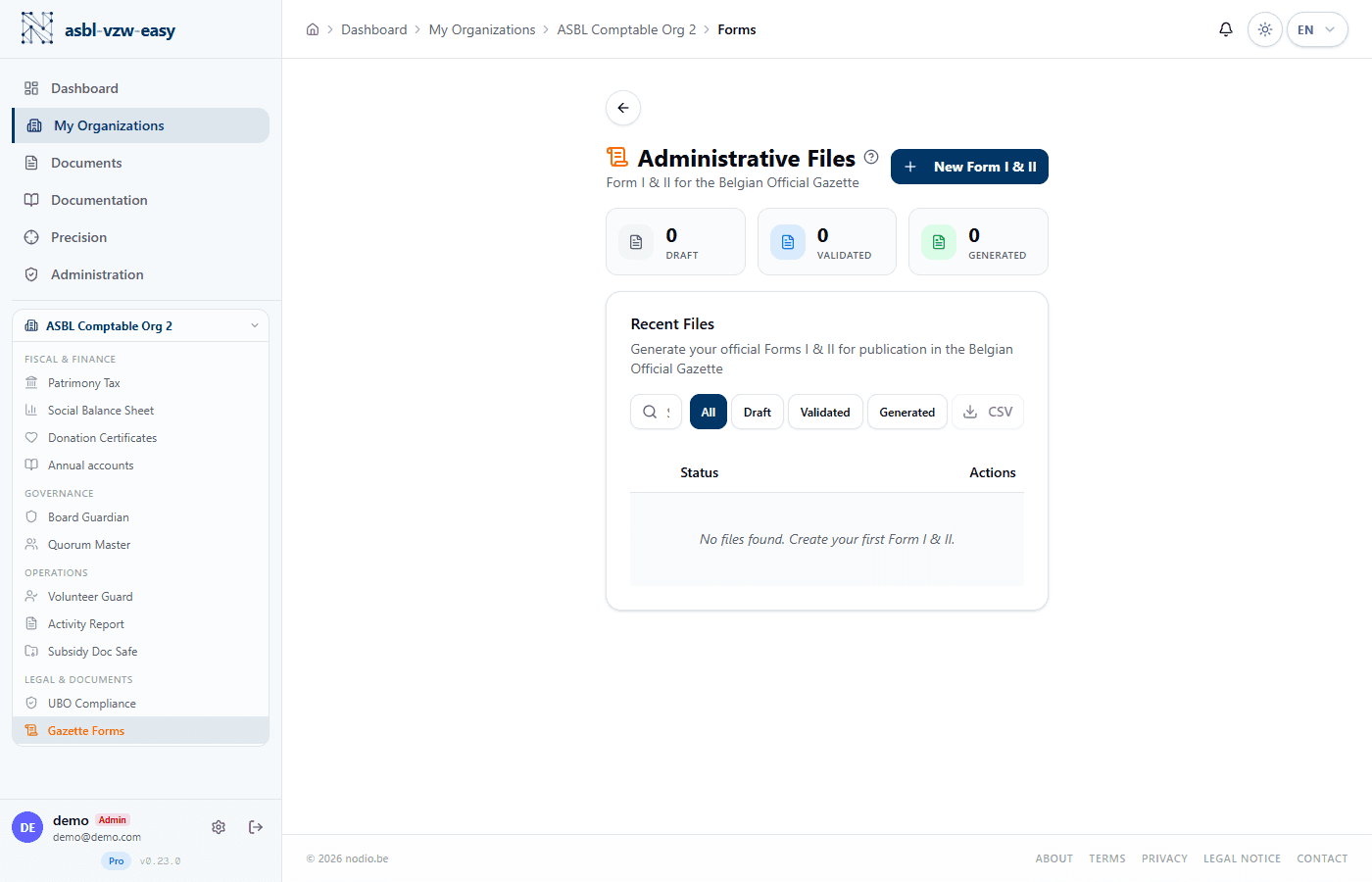
- From the Forms page of your organization, click New Form.
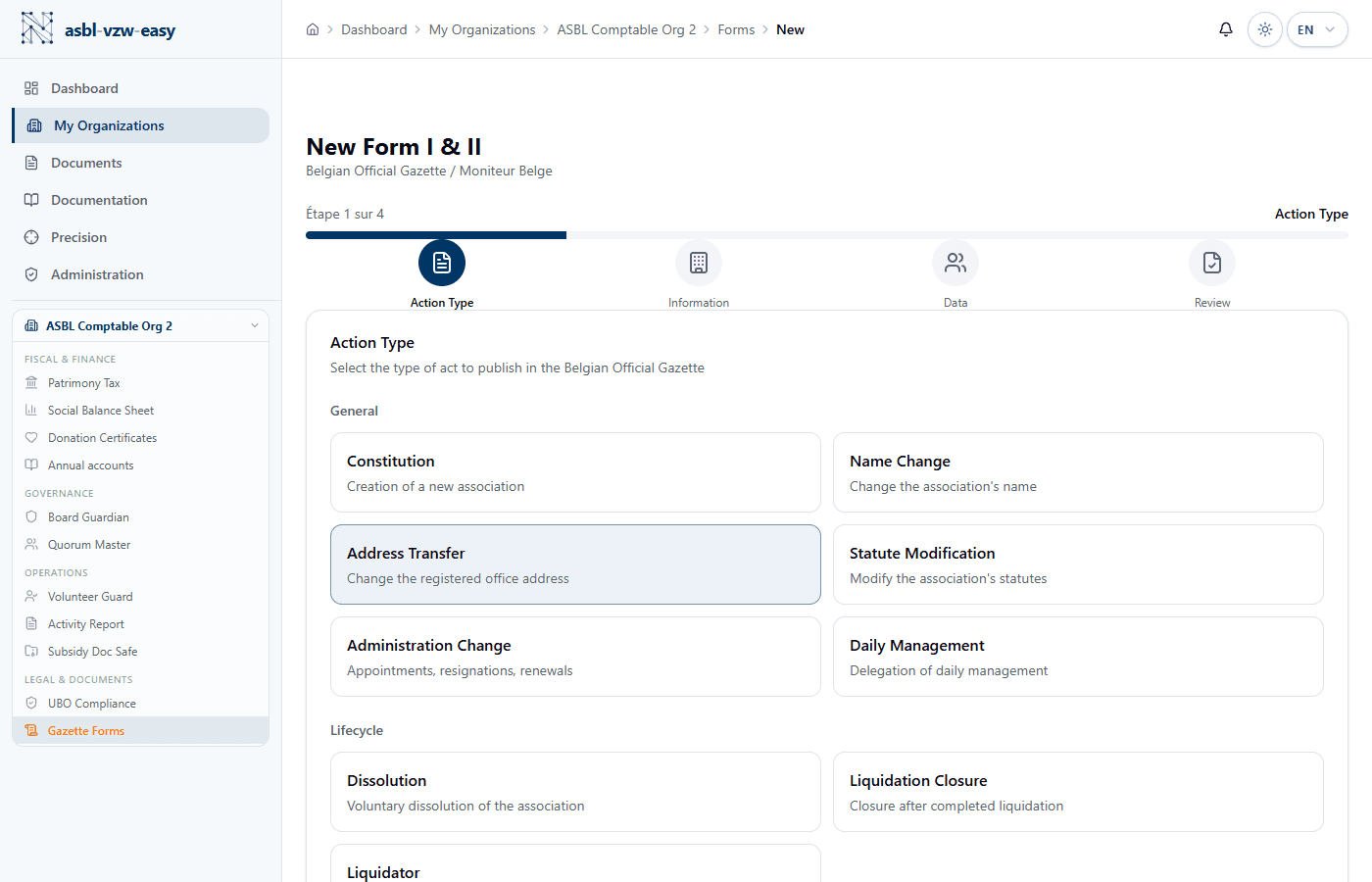
- Choose the form type (I or II).
- Select the action type:
- Incorporation (creation of the ASBL)
- Administrator change (appointment or resignation)
- Amendment of bylaws (change of rules)
- Registered office change (relocation)
- Dissolution (closure of the ASBL)
- Other amendments
- Complete the required fields for the chosen action. The form uses progressive disclosure: advanced fields (abbreviation, website, capital, limited duration, billing address, signatory) are shown via the "Advanced Options" section.
- The form is created with Draft status.
Form Lifecycle
| Status | Description |
|---|---|
| Draft | Being edited, fully modifiable at any time |
| Validated | Verified and ready for PDF generation |
| Generated | PDF created, ready for download and filing |
Generate the PDF
- From a form with Validated status, click Generate PDF.
- The system automatically composes:
- Part A (Volet A) — the administrative section (identity of the ASBL, enterprise number, etc.)
- Part B (Volet B) — the legal text (content of the decision: bylaws, appointments, etc.)
- Filing instructions — a step-by-step guide for filing at the Registry
- Download the PDF and file it according to the included instructions.
Legal deadline — Certain acts must be filed within 30 days of the decision (Art. 2:9 CSA). After this deadline, the ASBL risks not being able to assert these acts against third parties (for example, a former administrator could still bind the ASBL).
Managing Forms
- Search by action type, status, or creation date.
- Tab filters: Drafts, Validated, Generated.
- CSV export: download the list of all your forms in a spreadsheet file.
- Deletion: only drafts can be deleted.
Forms are available starting from the Essentials plan.