Members
Manage the members of your nonprofit — administrators, voting members, and associates.
Understanding Member Types
Before adding members, here is what the different types mean:
- Full member (membre effectif): a member who has voting rights at the general assembly. This is the most important type of member from a legal standpoint.
- Associate member (membre adherent): a member who participates in activities but does not have voting rights at the GA. Often called an "honorary member" or "supporter."
- Honorary member: an honorary title, generally without voting rights.
Legal basis — CSA (Code of Companies and Associations; WVV in Dutch), Art. 9:3. Only full (voting) members vote at the general assembly. The distinction between member types must be defined in the nonprofit's bylaws.
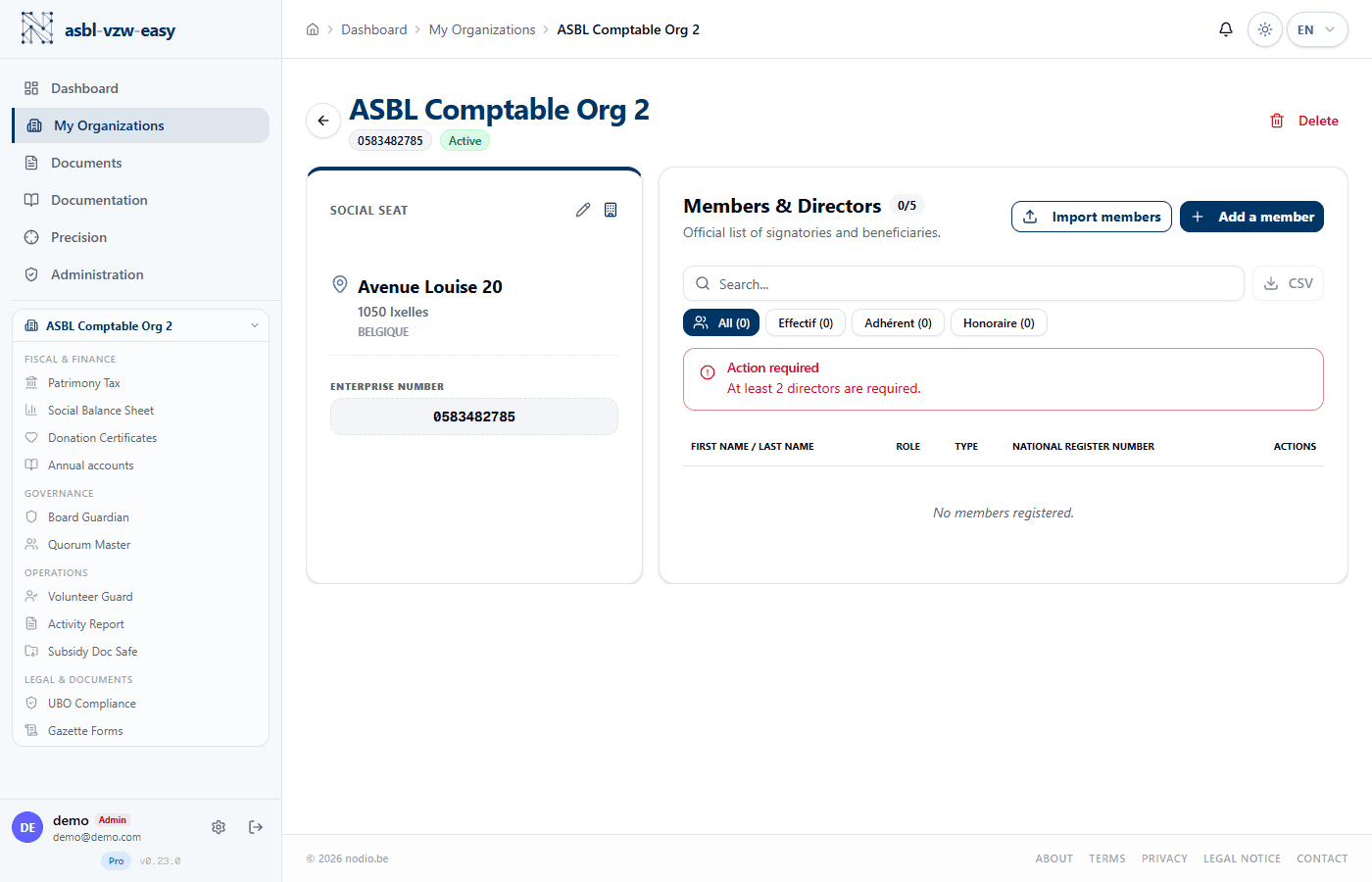
Add a Member
- Open your organization page.
- In the Members section, click Add a member.
- Fill in:
- First name and Last name
- Role: Administrator, President, Treasurer, Secretary, or Member
- Member type: Full (voting), Associate, or Honorary
- Admission date
- NISS (national register number) — the Belgian national number found on the back of the identity card. Optional but recommended: it is required for the UBO declaration. For non-resident administrators, you can enter a BIS number instead of the NISS.
- Click Save.
Import Members (CSV)
To add multiple members at once:
- Click Import CSV in the Members section.
- Prepare a CSV file (a simple spreadsheet file) with the columns: first name, last name, role, type, admission date, NISS.
- Upload the file and confirm the import.
Edit or Remove a Member
- Click the edit icon next to a member to update their information.
- Click the delete icon to remove a member.
Export Members
Click Export CSV to download the complete member list in a file you can open in Excel or Google Sheets.
Administrator Warnings — Minimum 3 Required
Legal basis — CSA, Art. 9:5. Every ASBL (nonprofit) must have at least 3 administrators. If the nonprofit has only 2 full members, 2 administrators are sufficient (legal exception). Below that, the nonprofit is non-compliant and administrators may be held personally liable.
The platform automatically displays:
- 🔴 Error: fewer than 2 administrators — critical situation
- 🟡 Warning: exactly 2 administrators — monitor closely
- 🟢 Compliant: 3 or more administrators — everything is in order